

If you’ve noticed your Google leads getting more expensive or your organic traffic softening over the past year, you’re not imagining it, and you’re not alone. The search landscape has fundamentally shifted, and ChatGPT is at the center of it. Now OpenAI has launched a paid advertising platform directly inside ChatGPT, and it opens up a channel that didn’t exist twelve months ago.
ChatGPT Didn’t Kill Google. It Changed How People Use It.
Google’s total search volume hasn’t collapsed. In fact, the number of global digital queries grew. What changed is how people behave before they ever get to Google, and that shift is costing businesses real visibility.
Here’s how the data actually breaks down:
1. Raw Query Volume (The 12% to 20% Footprint)
ChatGPT handles roughly 2.5 billion prompts per day, while Google processes an estimated 13.7 billion to 14 billion daily searches. According to a structural analysis by Ahrefs and Harvard/NBER data, roughly 65% of ChatGPT prompts are “search-equivalent”: queries where a user is looking for information, advice, or facts they traditionally would have Googled.
When isolating just those search-like queries, ChatGPT’s volume sits at roughly 12% of Google’s total. When factoring in mobile app usage, independent digital traffic analyses from Graphite and KIME indicate ChatGPT captures roughly 17% to 19.5% of global search-and-discovery traffic, making it the second-largest information discovery platform in the world.
2. The “Search Behavior” Shift (-20% Fewer Searches)
ChatGPT hasn’t necessarily stolen users away from Google entirely. Most people use both. However, clickstream data from SparkToro and Datos reveals a massive hidden impact: the number of Google searches per active user has dropped by roughly 20%.
Instead of performing five different sequential Google searches to research a complex topic, users go to ChatGPT once to get a synthesized answer, eliminating the need for those extra Google queries.
3. The Website Traffic Paradox (190x Difference)
While ChatGPT is aggressively taking away query volume, it is not taking away the downstream traffic that Google sends to websites.
| Platform | Global Search/Discovery Share | Share of Outbound Traffic Sent to Websites |
|---|---|---|
| ~71% – 80% | ~40.0% | |
| ChatGPT | ~12% – 19.5% | ~0.21% |
Google is built to act as a traffic cop, routing users out to external web links. ChatGPT is built to keep users in a closed conversation. Because ChatGPT’s Click-Through Rate (CTR) is about 96% lower than Google’s, Google still sends 190 times more traffic to actual websites than ChatGPT does.
The Takeaway: ChatGPT has successfully captured nearly a fifth of the world’s informational and research queries, severely threatening Google’s historical monopoly on intent. However, until conversational shopping and outbound link clicks become the norm, Google remains the undisputed king of web traffic.
That’s the gap the OpenAI Ads Manager was built to close.
Suggested image idea: side-by-side screenshot of a Google search results page vs. a ChatGPT conversation answering the same query.
What OpenAI Ads Manager Actually Is
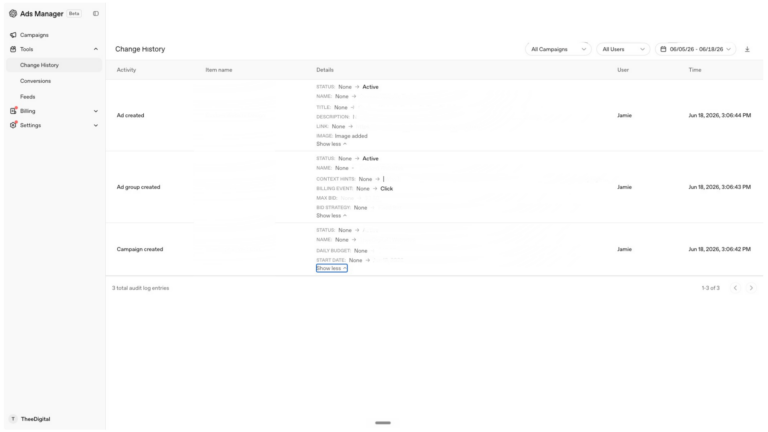
OpenAI Ads Manager Beta is a self-serve platform that lets businesses run paid campaigns directly inside ChatGPT conversations. If you’ve used Google Ads or Meta Ads, the campaign structure will feel familiar: it uses the same Campaign → Ad Group → Ad hierarchy. But the way targeting works is completely different, and that difference matters.
The OpenAI Ads Manager is best used for capturing high-intent users during the consideration and research phases. Because ads appear inside ChatGPT conversations, often after a user has spent several prompts narrowing down what they want (e.g., “Compare the top three CRMs for a small agency”), the traffic it sends is highly qualified. Early performance data shows that while Click-Through Rates (CTR) are lower than traditional Google Search (around 0.6% to 1.5%), the conversion quality is roughly 1.5 times higher once users land on a website.
Key Features
Familiar Interface
Structurally similar to Meta or Google Ads, featuring step-by-step campaign creation and bulk uploads.
Product Feed Integration
Merchants can upload product catalogs via SFTP, enabling ChatGPT to serve direct product ads during shopping queries.
Bidding & Tracking
Supports both CPM and CPC models, alongside pixel tracking and a Conversions API to measure ROI.
Ad Integrity
Ads are clearly labeled as sponsored and kept distinct from organic AI responses. Merchant data is used solely for paid placements, not model training.
There are no keywords. There are context hints.
Instead of bidding on search terms, you write plain-language descriptions, called “context hints,” that tell OpenAI’s AI when your business is relevant. The system reads the underlying meaning of a user’s conversation and decides whether your ad fits, not based on the specific words they typed, but on what they actually need.
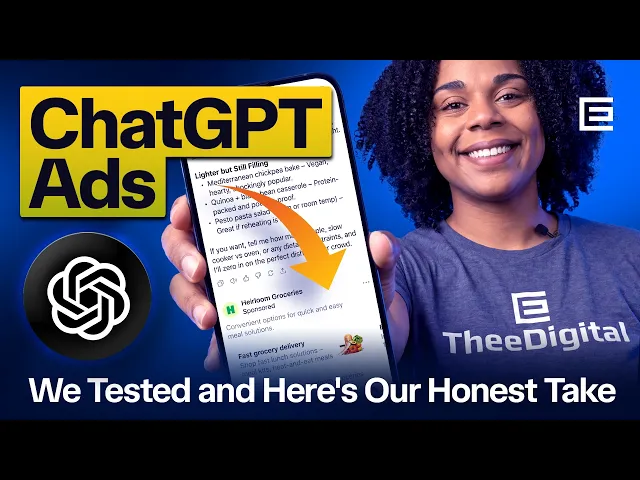
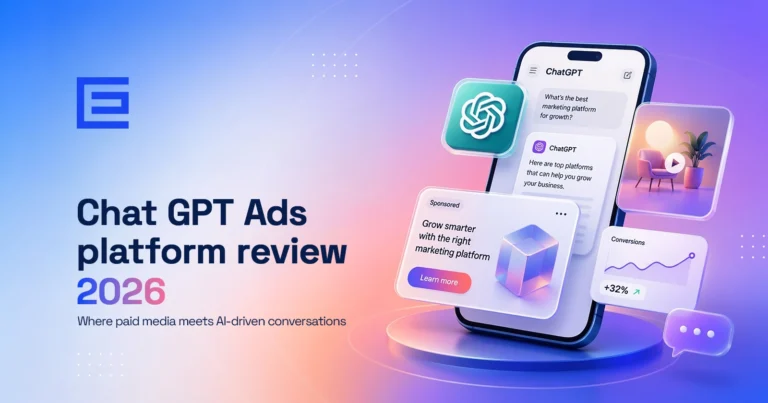
When a match is found, your ad doesn’t interrupt the experience. ChatGPT answers the user’s question completely first. Once the response finishes, a clearly labeled “Sponsored” card fades in below the answer: your brand logo, a short headline, a brief text snippet, and a link to your landing page. It reads like a natural next step, not an intrusion.
It’s available now to advertisers in the US, Canada, Australia, New Zealand, Japan, and South Korea.
How to Get Your Business Into the Beta
Schedule a Free ChatGPT Search Audit
Rather have us handle the setup and strategy? We’ll walk you through whether this platform is the right fit right now.
One thing to know before you start: the business owner must create the account first. Agencies and team members can only be added after the account exists, not during setup.
Suggested image idea: screenshot of the business details entry step (Step 2) at ads.openai.com.
- Access the portal. Go to ads.openai.com and sign in with an existing OpenAI account (use your work email) or create one on the spot.
- Enter your business details (5–10 minutes). Provide your legal business name, website URL, industry type, and a square brand logo at minimum 128×128 pixels. This logo appears directly inside your live ad units, so keep it clean: it renders small, and text overlays become unreadable at that size.
- Submit for verification (processing time varies). Confirm your country, currency, and time zone, select “Business” as your advertiser type, and enter your EIN and physical business address. This kicks off identity and policy compliance review through Persona, OpenAI’s verification partner. Expect anywhere from 2 to 12 days before full access is granted.
- Configure billing (after approval). Once you receive your approval email, log back in to set up a billing profile and link a corporate credit card. Your billing address must match your registration country.
- Add your team or agency (optional). Go to Settings → Users → Invite to bring in any team members or agency partners who’ll be managing campaigns.
One important heads-up: OpenAI has a strict no-refund policy. If the contextual matching misfires and your budget gets spent on the wrong conversations, or if a platform bug causes inefficient delivery, there are no credits. Go in treating your early testing budget as a learning investment, not a performance campaign.
What the Platform Is Good For, and What It Isn’t Yet
The OpenAI Ads Manager is best used for capturing high-intent users during the consideration and research phases.
Because your ad only appears after a user has already spent several prompts narrowing down what they want, think “compare the top three options for a small business like mine,” the people who see your ad are already well-qualified. Early data shows conversion quality running roughly 1.5 times higher than comparable social traffic once users click through. The AI does the qualification work before your ad ever appears.
UPDATE: Conversion optimization is arriving, but it’s not fully here yet.
As of August 2026, conversion-optimized cost-per-click (oCPC) campaigns are available in beta for product feed campaigns. This is a significant step forward. If you’re running click-billed campaigns with fixed or manual bidding and a positive conversion bid cap, you can now tell the system to optimize toward actual conversions rather than just clicks.
You can clone an existing CPC campaign directly into an oCPC campaign or create oCPC campaigns in bulk. During cloning, Ads Manager will prefill the conversion event when one eligible event is available. If multiple events exist, you’ll be prompted to select one. Supported macros in landing page query parameters are also now available, with values populated automatically at delivery time.
That said, this is still a beta limited to product feed campaigns. A full Conversions objective across all campaign types, comparable to what Google and Meta offer, isn’t live yet. OpenAI intentionally doesn’t build deep user profiles the way those platforms do. Instead of using years of browsing history and demographic data, it matches ads to the live conversation. That privacy-first approach makes broad conversion optimization a harder technical problem, and the oCPC beta is OpenAI’s first step toward solving it.
What Agencies Are Seeing in Early Testing
The early consensus from agencies inside the beta can be summed up in four words: high intent, low control.
The Case for Getting In Now
Despite lower click volumes than Google Search (CTRs are running between 0.5% and 1.2%), the quality of that traffic is strong. Publications like Digiday have reported that users arriving from ChatGPT ads spend more time on-site and bounce less than social traffic. By the time someone sees your ad, the AI has already walked them through their research, and they arrive as a warm lead, not a cold visitor.
CPMs vary by category. High-competition verticals like finance and B2B software are seeing $25–$40 CPMs. Broader lifestyle and service categories are running closer to $12–$18. For context, those are competitive but not unreasonable for the intent level.
The Case for Caution
UPDATE: The control problem has improved but hasn’t gone away. There are still no keyword controls and no negative keyword lists. You cannot see which prompts triggered your ads and you cannot exclude specific topics. However, OpenAI has shipped Custom Audiences in the Ads Manager beta. You can now upload lists of 25,000 or more users to include or suppress from your campaigns, and set bid multipliers at the ad group level. That gives you your first real exclusion lever: if your budget was going to the wrong people, you can now suppress known non-buyers by list. It’s not keyword-level control, but it’s a meaningful step.
On delivery, OpenAI updated how daily budgets work in late July 2026. Your daily budget is now an average over seven days rather than a hard daily ceiling. On any given day, your campaign can spend up to twice its daily budget, but it will never spend more than seven times the daily budget across a full week. So a $500 daily budget could hit $1,000 on a strong delivery day, capped at $3,500 for the week. No action was required for existing campaigns, the change applied automatically. This means the delivery spikes that caught early testers off guard are now by design within defined limits, not a platform bug.
The Strategic Frame Most Agencies Are Using
The brands moving earliest are doing two things: protecting their own brand terms so competitors can’t appear when a user asks ChatGPT “what’s the best alternative to [Brand X],” and buying visibility now while competition is low and prices haven’t spiked. Ad auction costs on new platforms almost always rise as adoption grows. That window doesn’t stay open long.
Where the Platform Stands Today
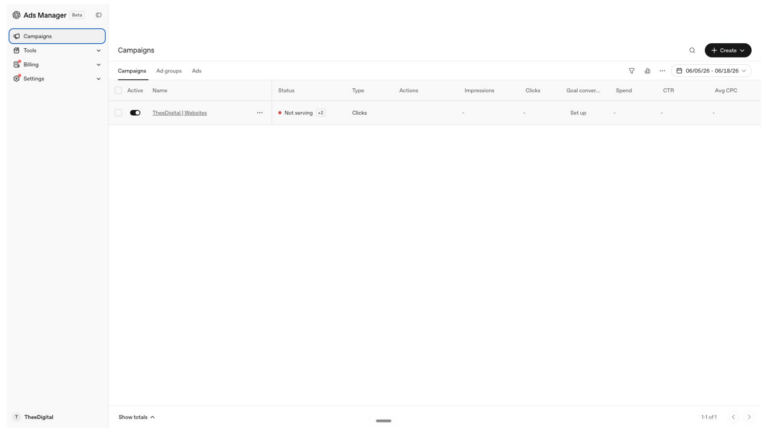
What’s Built (Available Now): Updates
- The Campaign Infrastructure: A traditional Campaign → Ad Group → Ad hierarchy, familiar to anyone who has used Google or Meta.
- Context Hints & Semantic Matching: Advertisers write plain-language “context hints” and OpenAI’s language model handles conversation matching based on intent. No keyword bidding.
- Flexible Bidding: Supports CPM, CPC, and now oCPC (conversion-optimized cost-per-click, in beta for product feed campaigns).
- Product Feed Ingestion: Merchants can upload 1,000–2 million SKUs via SFTP to trigger visual product cards during shopping queries.
- Custom Audiences: Upload lists of 25,000 or more users to include or suppress from campaigns. Bid multipliers can be set at the ad group level for audience-based optimization.
- Account Overview & Suggested Ads: A new account overview tab lets you monitor account health, review recommended performance tasks, and analyze metrics in a larger, more flexible trend chart. Suggested ad drafts use your existing website metadata to prefill an ad with an image, title, and description that you can review, edit, and assign to a campaign. Note that this feature does not generate new copy or imagery with AI.
- Attribution & Measurement: Don’t forget about the automatic advanced matching update (AAM). This is now the default for new Web pixels. Beginning August 17, 2026, it will also be enabled for existing Web pixels. AAM helps match more conversions to ads using hashed customer information from website forms. If you don’t want to have AAM enabled, you can opt out before August 17th.
- The “Answer Independence” UI: Ads render as clearly labeled sponsored cards tucked below ChatGPT’s finalized organic response. You’ll also notice a refreshed static ad card. This new format can be seen across web and mobile platforms. It is more compact and easier to read. There are larger visual elements as well.
- With clearer ads, an advertiser’s message can come across better, increasing conversion possibilities.
- Geographic Availability: Live in the US, Canada, Australia, New Zealand, Japan, and South Korea.”
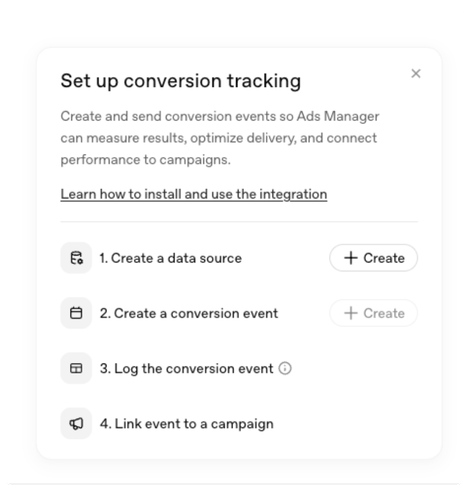
- The “Answer Independence” UI: Ads render as clearly labeled sponsored cards tucked below ChatGPT’s finalized organic response.
What’s Missing (Current Pain Points)
- No Keyword or Negative Match Controls: You still cannot bid on specific keywords, exclude topics, or see which prompts triggered your ads. Custom Audiences give you audience-level suppression, but conversation-level exclusions remain unavailable.
- No Native Conversion Reporting in the Dashboard: ROAS, cost-per-conversion, and conversion rate are still absent from the native Ads Manager reporting. Third-party tools like Triple Whale and Hightouch can bridge some of this gap, but you’ll need to connect them yourself.
- oCPC Limited to Product Feed Campaigns: Conversion-optimized bidding is in beta, but only for product feed campaigns with fixed or manual bidding. Service businesses and non-product advertisers still can’t optimize toward conversions natively.
- Major Vertical Restrictions: Healthcare, mental health, politics, gambling, cryptocurrency, and various financial and legal services remain off-limits.
- Beta Interface Friction: Feed processing errors and validation lags still surface for some advertisers, though the new account overview tab and suggested ad drafts have improved the day-to-day workflow.: You must fully trust the AI’s contextual matching. Manual keyword exclusions aren’t possible.
Where the Platform Stands Today: What’s Coming (The Roadmap)
- Lookalike Audiences & Retargeting: Customer list uploads and suppression are now live. Lookalike audiences and pixel-based retargeting are expected next.
- Full Conversion Optimization Across Campaign Types: oCPC is in beta for product feeds. Expansion to all campaign types and a full Conversions objective are anticipated.
- Advanced Retail Integrations (Agentic Commerce): Instant Checkout via Stripe and PayPal partnerships, allowing purchases directly within the chat.
- Global Expansion: Rollouts to the UK, South Korea (now live), Brazil, and broader European markets are actively being prepared.
- Ad-Management APIs: Direct API integration will replace manual SFTP uploads, opening the door to third-party ad-tech tools like Pacvue and Skai.
Should You Be on This Platform?
If you’re looking for a channel that replaces your Google Ads program or delivers clean cost-per-lead data out of the gate, this isn’t that, not yet.
If you’re looking for an early foothold inside the platform where your customers are increasingly forming their buying decisions, at a price point that will almost certainly rise as adoption grows, this is worth a serious look.
We’re actively testing OpenAI Ads across our accounts and will share real performance data as it becomes meaningful. In the meantime, if you want a straight conversation about whether this fits your current strategy, we’re here for it.
This Post Will Keep Evolving
OpenAI Ads Manager is still in beta, which means the numbers in this post (CPMs, CTRs, feature availability) are a snapshot, not a permanent record. Betas move fast. Features that are locked today might unlock next month. Stats that look solid right now will shift as more advertisers get in and more data comes in.
We’re tracking this closely, including our own testing across our accounts, and we’ll be updating this post as new information, stats, and platform changes come out.
ChatGPT Ads FAQs
Ads appear directly below the end of an AI response. They are clearly labeled as “Sponsored” suggestions and are contextually matched to the conversation topic. They do not appear inside the AI’s answer itself.
No. OpenAI maintains a strict separation between the AI model’s organic output and ad serving. Advertisers cannot pay to alter, bias, or shape the responses ChatGPT generates.
Advertisers create campaigns through the OpenAI Ads Manager using a Campaign, Ad Group, and Ad structure similar to Google or Meta. Instead of bidding on keywords, you write plain-language “context hints” that describe the conversations where your ad is relevant. The platform operates primarily on a cost-per-click (CPC) model, with conversion-optimized CPC (oCPC) now available in beta for product feed campaigns.
Ads currently consist of sponsored text cards with a brand logo, headline, short description, and a call-to-action button that links to an external landing page. A refreshed, more compact ad card design rolled out in July 2026 with larger visual elements and improved readability across web and mobile.
Yes. As of July 2026, the Ads Manager beta supports Custom Audiences. You can upload lists of 25,000 or more users to include or suppress from campaigns, and set bid multipliers at the ad group level. Keyword-level targeting and negative keyword exclusions are not available.
ChatGPT Ads are currently available in the United States, Canada, Australia, New Zealand, Japan, and South Korea. Expansion to the UK, Brazil, and broader European markets is on the roadmap.”
Ready to Talk Through Your Strategy?
We’ll walk you through whether OpenAI Ads is the right fit for your business right now. No pressure, just a straight conversation.
Tags: Our Favorites • AI Search Marketing
Laura Matson
Laura discovered her affinity for SEO right out of college, while at her first job after graduating from the College of Charleston. Laura enjoys connecting her clients with their ideal customers. She does this work through staying updated on the latest SEO & PPC practices, researching new digital tools & strategies, and making meaningful connections with businesses & consumers across diverse fields.